23.1.13
Task 6d: Basic brain concepts, teaching and learning
 How as teachers and learners can we maximize the chances of creating the right connections, lasting communication between all these multiple parts of our brains? There might be many answers to this question but I guess that for now it could be familiarity and repetition, the more a specific circuit, network or connection is fired, the higher the chances it would become automatic and imprinted in memory, and the more variation in stimulus, the higher the chances to establish different paths to strengthen the connection. I did not know some years ago, for example, that water was a much needed brain food and that drinking juice was not the same as drinking plain water. Since then, I am drinking more water and less liquids of other sources and have passed this info. to people around me, especially my students and family members, who very often just drink pop sodas all day and do not often see the relationship between nutrition, the brain and learning.
The Brain that changes itself
Youtube video at: https://youtu.be/sK51nv8mo-o
Labels: EVO2013
EVO 2013: Neuroscience in Education
Even if I am not formally teaching anymore, it is always great to meet colleagues in these wonderful sessions, learn tons, participate whenever I can and enjoy this special time of the year, every year. A perfect start for 2013 !!!

12.1.12
Task 5: The Technology Integration Matrix (TIM)

Excellent resource ... full of information. It will take me a while to explore. Love the videos I have seen so far with activities :-)
I would say that after some years of trying to set up the conditions to put many ideas into practice and get to an authentic-transformation, I sort of achieved it only because I created a specific course for it at the university I worked for; it was an elective EFL writing course with very few students and a lot of motivation. The research led to a promotion thesis to Full Professor. In the regular EST reading courses I taught where I had 30 freshman students -many with limited access to Internet- and a required set of goals, materials, tests, etc., I hardly got to a collaborative-adaptation level, if I was lucky. We cannot take "access to resources" for granted; it should not block us completely but it is a reality we have to deal with.
"The Technology Integration Matrix (TIM) illustrates how teachers can use technology to enhance learning for K-12 students. The TIM incorporates five interdependent characteristics of meaningful learning environments: active, constructive, goal directed (i.e., reflective), authentic, and collaborative (Jonassen, Howland, Moore, & Marra, 2003). The TIM associates five levels of technology integration (i.e., entry, adoption, adaptation, infusion, and transformation) with each of the five characteristics of meaningful learning environments. Together, the five levels of technology integration and the five characteristics of meaningful learning environments create a matrix of 25 cells as illustrated below."
Labels: digitools, EVO2012, TIM
11.1.12
Electronic Village Online 2012: Digitools with Purpose
This year I decided to register in the 'mother' session "Becoming a Webhead" but also decided to participate in Digitools with purpose in the classroom.
As part of assignments for week one, I created an introduction of myself using animoto and then transferred it to Youtube. The free account of Animoto only let's you make 30 second videos. But if you request an account for educators, they give you a free trial pro account for a year :-)
Here it is:
31.12.11
Not again ... I have not posted anything here in a year !!!

Yes, since I retired two years ago, I have not posted much in this, my first blog from BaW2006. There have been major changes in my life since then but I am glad I still keep this on, just in case :-)
Happy new year, everyone !!!
4.1.11
A new year, new beginnings :-)
 Oh my, a full year has passed by and now I have been retired for a year and two months, ha ha. Beautiful grand daughter Andrea is now a year and in her way to daycare, my daughter is going back to work after maternity leave, my mom is 92 and still very active and three of us live in different cities: Bogotá, Sydney, and Toronto. I travel from place to place to visit all and spend some time in Caracas as well. It sounds great, and it is, but I cannot hold an academic activity anywhere so far, but I hope I will. That is why I am back at participating in Evo sessions once more. I have already registered for the mother-session Becoming a Webhead and Digital storytelling to get updated. I am curious to see what the facilitators of "creating vocabulary activities" will have participants do. I am sure all sessions will be as successful as ever. Let the learning begin next Monday :-)
Labels: evo2011, webheadsinaction
10.8.10
On brain strokes
Here is an interesting TedTalk of a neuroscientist, Jill Bolte Taylor, who experienced a brain stroke: https://tinyurl.com/y9utv92f

Labels: brainstroke
26.2.10
21st century skills: Empathy an important one
 I want to include this information here and perhaps go back to Sessums blog once in a while as he has interesting ideas and one of the best blogrolls I have seen with the experts in the area who are at the top of the education game nowadays. I think he is missing from the list one very important person who has had a tremendous effect on ESL/EFL educators all over the world for more than 10 years ;-)
Empathy, such an important skill to have in the past, present and future, regardless of where the world is turning to ...
Labels: 21st_century_skills
30.1.10
On social networks and my internet anxiety ...

In a world where people in their late twenties -like my children- cannot imagine how their parents could work in the past without Internet, mails, even a computer for writing a memo, and our grandchildren are born with an i-phone or a blackberry by their side, sliding pictures intuitively or by imitation with their tiny fingers ... we can't escape change and social networks have become an integral part of our lives, whether we like them or not.
Nowadays I don't blog as much as I used to, except when I set up class blogs or wikis for my students. I don't have time to be looking for new tools to be discussed in my personal blog anymore and I don' t want to be re-copying what others are finding to fill a space. I have not made an effort to make others follow my sites and prefer to quietly read what the "experts" in the area are into. When I have a specific need to help my students, I simply Google to find what I want, or so I think. I prefer to use fewer tools that I can handle well than the newest gadget that just came up into existence. But I am always suffering from FOAMS, fear of always missing something , and SONGCOP (just made it up), shame of not giving back to communities of practice where I have learned so much ...
I am always amazed at how certain social tools gain popularity and are widely used. Phenomena such as Twitter and Facebook are beyond imagination. Who would have guessed? I probably do not blog as much, for example, because Facebook has taken precedence in my personal life to stay connected with family and friends all over the world: a daughter in Canada, a son in Australia, a niece in Germany, another in London, one more in Illinois, and most important of all, a husband in Bogota while I am usually in Caracas ... so sharing pictures and keeping updated with the political situation in Venezuela seem to take most of my free time at the moment. I do not twitter much but follow a couple of lists, especially from the university student movement and their political actions, and national news.
All these networks seem to grow unpredictably beyond their original idea into monsters of what seems to be random information but with amazing possibilities to those who can see through it with their special glasses. As Vance Stevens says (although in a different context), it is fascinating "how a system so prone to chaos and entropy so often works through the wisdom of the crowds that populate it to keep the pieces loosely joined all heading in the same direction."
28.1.10
EVO multiliteracies
Just checked the tagging page for evomlit (spezify) and, wow, it looks quite nice. It seems like a combination of Pageflakes and a kind of tag reader :-)
15.12.09
EVO 2010

Once again a meeting with old and new friends for six weeks, how exciting is that :-)
This time, Grandma matters will take away most of my time. I retired just 2 months ago from university after many years of teaching and now have a newborn granddaughter and a dear daughter who needs my help in this commonly stressful stage of life, more so as she lives abroad and away from her roots and family.
I decided to "lurk" in Becoming a Webhead, the mother group; and will try to be a bit active in Multiliteracies.
We'll see how it goes :-)
Labels: EVO2010
15.9.09
Long time, no post ...
 This was one of my first blogs ever. I started it when I joined Becoming a Webhead and Collaborative Blogging in EVo 2006. I had participated in BaW in 2005 but just opened up a blog for trying it out and never went back to it, and another for administrative matters at work. Since then I have used class blogs every term for my EFL reading courses, have published an article with a coworker about the effectiveness of blogging to improve reading practice and have used wikis for EFL writing instruction and practice. This led to my latest research which I presented in my promotion thesis to full professor at Simon Bolivar University in Caracas.
Despite my crossover to Motime and Wordpress, I find Blogger has improved the most, it is still free and it is very easy to handle both for my students and myself :-)
I owe tons to the EVO organization and the caring and expert Webheads group. Not only have I been able to learn what teaching for the future of digital natives mean, but I have been able to do innovative work in my classroom which has been recognized in my workplace with three different awards (two university professor's awards in 2005 and 2008; and one professor's association teaching award in 2009).
I feel closer to my students, their way of life and definitely closer to my own son and daughter, and probably my future grand daughter. Last but not least, I have made great connections with mindlike friends all over the world and have worked collaborativey with some of them.
I am looking forward to the next EVO sessions in January 2010 ;-) I am excited to learn what has been going on in the past year and what I have missed and could be valuable in my students' future and mine too.
Labels: EVO2010
1.2.09
Three aspects in my teaching I find interesting


My young freshman engineering students starting a new phase in their lives at a very demanding university.
My creative, supportive and assertive colleagues always willing to try whatever will improve our courses.
My institution which requires me to combine teaching and research to the best of my abilities.
(Mini-saga, Week 3 task)
Labels: evowriting09, mini-saga
Response to Carla´s and Graham´s papers
 Excellent pieces by Carla and Graham, even if they were just one page each, they summarized neatly key ideas of what blogging is all about. They are both outstanding professionals who have become experts in online learning. I think Graham has geared more towards podcasting and second life while Carla is still an energetic and enthusiastic blogger who uses whatever resource is within her reach to make her lessons creative and fun. I will concentrate on three ideas from their papers.
Second, I agree with Graham about correcting students´ work before they publish their posts or as data to be analyzed in class with students. In my particular case, I see blogging as an opportunity to let students express themselves freely so I would not correct anything they write in their personal blogs, unless the mistake interferes with meaning. In a student-teacher conference I would check with each student their posts and would take advantage of this time spent with them to revise and correct some.
 students and should relate directly to what they wrote in the post to make them see their writing had an effect on readers and the message was understood.
An authentic activity that could be carried out through blogging is simply to have a sort of input (text to read, video, slideshow or picture on a specific topic, questions on a topic) and then have students react to it in a personal way relating it to their own experience. Here is an example In this particular one, it was a class blog to introduce students to blogging before they opened their own blogs but posts here were used for stirring up writing anyway.
Labels: evowriting09, week_3
31.1.09
My introduction in EVO´s Collaborative Writing
 I am Bertha/Berta Leiva from Venezuela where I have taught EFL English for about 30 years. I have a B.A in Modern Languages from Metropolitan University, Caracas, and a Master´s in Education (Policy, planning and administration) from Boston University, MA. I am also a certified public translator in my country.
I have taught EFL English in different settings (in-company courses in Italy and Venezuela, to professionals at the training center of the national oil company and at three universities). For the past 16 years I have worked in the Language Department of Universidad Simon Bolivar where I have also held different administrative positions (Coordinator of Freshman
  studies, Head of Department, etc.) I think I already mentioned to the group that I am currently associate profesor but just submitted my promotion thesis to full profesor on socioculturally oriented EFL writing by means of web 2.0 tools. It is still under evaluation and I owe all I know about this research area to EVO, and especially to the Webheads in Action.
When I saw this session, I got really excited and immediately signed up. I expect to meet colleagues from all over the world who would like to take part in international projects where students from different cities could be able to practice writing in a collaborative environment and to learn together about new
  possibilities in EFL writing teaching and learning in a sociocultural environment.
The photos? Too many, right? I am very visual and love pictures. My office on the upper right, collage of reading and writing students (in computer lab) last July, our main library building, student protest in 2007 in favor of democracy and against the present government, and finally two students with me during consultation hours last term.
I am bleiva2003 in yahoo, gmail, skype, messenger, delicious, etc.
Labels: evowriting09, introduction
26.1.09
Using Word Processors in the EFL classroom
Having read both the articles, Vance Stevens and Renata Chylinski, the idea of teaching word processing and writing skills together is quite surprising, although it seems to be a valid idea.
As Kenan and Sedat have mentioned, students with no connection to Internet could benefit from word processing since it is an excellent way to handle collaborative writing and if the task is motivating to them, they will enjoy working together. However, in some cases if they don't have access to Internet, chances are they might not have access to a computer either, unless the institution provides them with space in a computer lab or if they work in the teacher's office. So it might not be very effective to use Microsoft Word in all cases.
With regard to Renata's piece, the same activities could be achieved with Hot Potatoes or any other tool where one can play around with graphics and words to fulfill a specific objective. The use of word processing for the particular tasks Renata mentions does not seem completely pertinent.
We both feel this approach is not relevant for our own students. Most of them are adult learners who use computers and so practice word processing in their native language at work all day. Their English is generally at the B2 level and above. We are convinced that they know already how to use the basic functions of Microsoft word or other word processing programs. They probably know more about them than we do, especially on German computers in the case of Sheila. In Bertha's case, her students have preferred Googledocs once they know it works online. In individual teacher-student conferences, she has learned a great deal from her students and has been able to enjoy sitting next to digital natives at work. They pick up everything related to technology really fast and use tools well.
There are nice activities in Vance's article that can be followed using Word as a tool. Vance's article, however, seems to have been more relevant for students in the late 90s or early 2000s. Students nowadays might not be so in need to be "taught" word processing skills while learning English. Of course each group of students is different and maybe it would be good to have them share their tips on how to use Word while writing collaboratively on a topic and sharing will probably come up naturally.
One or two of Vance Stevens ideas could be used, particularly the ones from Claire Bradin. (By the way Sheila could not get that link to work in Firefox). Students could work on the group's errors, though they would have to do this for homework as there are no computers in the classrooms. Peer correction is not popular with most of these groups as they do not like to criticize a fellow student, but if the errors were anonymous then they might be prepared to correct them.
Sheila can see a possibility of using cross class interviews especially across cultures if this were possible, this might work well in a blog.
Another exercise to use with exam classes might be jumbled texts where occasional sentences have to be replaced. This could replicate an exercise in the exam and could prove very useful, again for peer correction.
Having PC’s, especially with internet connection, in class is a dream for Sheila, the best they get is her laptop and her personal connection stick to give the students access to an online dictionary.
Some of the activities that could be assigned - either using Microsoft Word, Googledocs or any other collaborative tool- are the following:
- narrate an event where both students were present (another class, Election Day, a national celebration) mixing their experiences in the texts.
- write a poem on a topic they agree or disagree with.
- write the editorial of a newspaper on top areas to be improved in their community, institution, country, the world, etc., and ways to achieve this.
- write an ad about their country trying to persuade readers to visit it.
- write about things they wish they had known about when they were children.
Labels: evowriting09, week_2
4.1.09
Changing my format to new Blogger
 I started this blog in 2006 and there have been many changes from the times we had to edit the HTML code in the Blogs´templates to add widgets, widen spaces, embed in the sidebar and so forth. Now Blogger provides us with easy ways to achieve all this and more but what should I do with this old time friend? Will my old posts be messed up? Should I leave it as it is?
I noticed I cannot embed in the new Blogger the slideshow of 2006 participants because there is no function in the header of the new layout to write html codes, so I will probably lose the slides I love so much from participants in these two EVO sessions ... Maybe I should delete it completely ... We´ll see. I feel it holds dear memories from one of my first blogs. The first I ever opened (2005) only has one entry, ha, ha. I never wrote in it again. The second fulfilled important administrative purposes as the site for onlline institutional reflecttion on our university´s freshman programs. It was quite successfull at its time.
I have opened blogs in Motime and Wordpress but Blogger is still my favorite as it is the easiest to set up, it is free, has no limits as to the number of pictures or videos to upload, offers a lot of technical support, requires little skill for students or teachers to use them, it does not crash or is off service for long, and so many other advantages that one does not realize until one tries other services.
Although I had set up personal blogs, it was a year ago that I decided to have a class blog for my reading courses. Here is an example of the one my students and I are using at this very moment: http://usbreading2.blogspot.com/
I intend to post a couple of entries while I participate in some EVO sessions this year ;-)
Labels: blogging, old_new_layouts
1.10.08
Last touches of my promotion thesis ...
 I have been working persistently for the past years in my last promotion thesis to full professor. It is entitled "Socio-cultural theory and Web 2.0 tools in EFL writing: A case study".
 After having spent a sabbatical year as a visiting professor at the University of Toronto where I was surrounded by experts such as James Cummins, Merryl Swain and Alister Cumming, I became in contact with the Canadian view of Activity Theory and the sociocultural aspects of Vygotsky´s tenets, a broader view of constructivism.
On the other hand, in the past three years I have participated not only in the EVO Becoming a Webhead sessions but in many other groups that prepared me to handle wikis and blogs as well as other Web 2.0 tools in my courses. These sessions also allowed me to meet many colleagues from all over the World, an opportunity that made posible two international collaborations with students in Sacramento California and also in Nagasaki, Japan. I learned a lot from this experience and so did my students and theirs.
Now I am in the final stage of writing up the last chapters of my thesis about the online collaborative writing course I set up during the third term of the academic year (April-July 2008) where seven students actively participated to reflect on their EFL writing, what it means to write in a foreign language and ways to self-monitor and correct their own texts. This is an example of the activities and materials for our first week of class. My deadline to hand it in is October 15th and I think it will be ready, hooray, yippee, woo-hoo, yahoo ;-) !!!
Labels: collaborative_writing, promotion_thesis, wikis
31.8.08
Show yourself Widget

 I saw this nice widget in José Antonio´s blog, a WiA from Brazil and liked the idea of having shortcuts in my sidebar to the tools I use the most. I went to this page, set it up, created code and pasted it in the template to be placed in the sidebar of this old blogger blog that does not hold the new features because I have not upgraded it (I can definitely see how both versions of Blogger differ).
29.5.08
Gregarius
 Rss and aggregation are concepts sometimes hard to get. Bloglines and Technorati along with Googlereader are ways to place what we usually read updated in just one place.
Now, I found in Bee´s Dekita.org site a tool called Gregarius which is said to be a web based RSS/RDF/ATOM aggregator which can be run from one´s web server in order to have access to the sites we want. This is how Dekita aggregates the blogs of students in different projects. I thought it was an interesting idea, but I am not 100% of how innovative it is yet.
Labels: aggregators, dekita, rss
25.4.08
Best sites of 2008

These were the winners in the 2008 Webware contest. Readers selected this 100 Web 2.0 application sites. Which ones have you used?
Labels: best_sites, web2.0, winners
2.3.08
Ning, pageflakes, 21classes ... which one?


Have you used any effectively in your ESL/EFL courses? I would love to know.
Labels: aggregators, blogs, platforms, portal, reader, video
4.2.08
Sonific ... adding a musical widget

I have been using pop and rock songs for more than 25 years successfully in my EFL classroom and this year I am participating in the music EVO session and just found sonific.com. It lets you select songs and generate html code to embed their widget in your blog. I could not find my favorite artists, though. Anyway, here is the one I just created. I hope you find it helpful too.
Latest news: Sonific is going off line in may 2008. A better source for embeddable songs is Radioclub. I have a post about it here.
22.10.07
Comments on blogging by students
4.8.07
Clocks, clocks, clocks ...
One can learn about one´s real age, life expectancy, world clock, etc. It is free, requires no membership, and contains no popup windows. One can create a home page with a search engine, dictionary, thesaurus, encyclopedia, maps, calculator, games, etc.
Here it is:
Poodwaddle.com
Labels: blogs
15.7.07
Jigzone ... puzzles
To create yours, go to jigzone and register, then create an album by uploading a photo from your computer files. I has many different formats and piece quantities. The page generates the code to embed the puzzle. Enjoy.

21.6.07
Wordlearner

1.5.07
A blog worth visiting ...

Labels: blogs, ITC, teacher development
8.4.07
A voice thread to embed in one´s blog

Labels: audio, topic thread
26.3.07
A must in education: shifting paradigms
<
Labels: education, future of learning/teaching, IT
25.2.07
One hundred dollar computer
 This computer has been designed by MIT Media lab with the purpose of offering it to children in underdeveloped countries in the non-profit project "One laptop per child" so that they can learn on their own. It will not be available to regular consumers.
 Labels: hundred-dollar computer, MIT, underdeveloped countries
11.2.07
Wonderful treasures ... Joe Dale´s blog

 There are many resources discussed in this blog by Joe Dale and I will include this one here for Keepvid a website which allows you to download videos directly from such sites as YouTube and Google Video and play them offline through a dedicated player, avoiding the chance students encounter inappropriate material. He explains its use step by step. These entries are for using Skype, photostory and podcasting, text to speech in language classes. Go visit ( Images from Joe´s blog)
10.2.07
Web 2.0 ... The Machine is Us/ing Us
7.2.07
Siemens presentation on Feb. 15th

28.1.07
Finally some snow in Toronto
Saturday I attended a Colloquium at Victoria College and decided to take some pictures around. I come out so seldom that had not realized snow had gradually accumulated, especially in the past two days.
The place I live in has a subway station downstairs and OISE, at University of Toronto, has a subway station entrance at the basement too, how convenient is that for a person from the tropics, eh?!?
26.1.07
For Horacio
 Hi Horacio,
 24.1.07
Slideshare ... trying it at Blogger
This is a presentation about Brain-based learning I gave at Ventesol 2005 in Maracaibo, Venezuela. Please give me the deserved credit if you ever use it in front of an audience or class. Thanks.
23.1.07
I Didn't Know You Could Do That with Free Web Tools

I found this Wiki by Alan Levine, where he gives ideas on adding notes inside flickr photos (thus creating a potential pictionary), drawing with Gliffy and using Slideshare.
This picture was taken by Teacher Dude in Greece, and he made it into a sort of pictionary here using flickr.
17.1.07
Mindmapping ...
 I have been using Mindmanager for some time now, especially in my graduate courses. It was always hard to require students to buy the program so I used to lend mine for educational purposes only. Some of them show initial resistance to adapt to this way of summarizing and visualizing information, but I have had great surprises later on when I have seen some of their work in the following courses where they decide to mindmap on their own!!!
I am glad to find there is a page where one can download FREEMIND for free. These are some of the uses listed in its Wiki:
1) Keeping track of projects, including subtasks, state of subtasks and time recording
2) Project workplace, including links to necessary files, executables, source of information and of course information
3) Workplace for internet research using Google and other sources
4) Keeping a collection of small or middle sized notes with links on some area which expands as needed. Such a collection of notes is sometimes called knowledge base.
5) Essay writing and brainstorming, using colors to show which essays are open, completed, not yet started etc, using size of nodes to indicate size of essays. I don't have one map for one essay, I have one map for all essays. I move parts of some essays to other when it seems appropriate.
6) Keeping a small database of something with structure that is either very dynamic or not known in advance. The main disadvantage of such approach when compared to traditional database applications are poor query possibilities, but I use it that way anyway - contacts, recipes, medical records etc. You learn about the structure from the additional data items you enter. For example, different medical records use different structure and you do not have to analyze all the possible structures before you enter the first medical record.
7) Commented internet favorites or bookmarks, with colors and fonts having the meaning you want.
30.10.06
Posting video: Photobucket
20.10.06
Using picturetrail to make a photo cube
16.10.06
Sabbatical blues
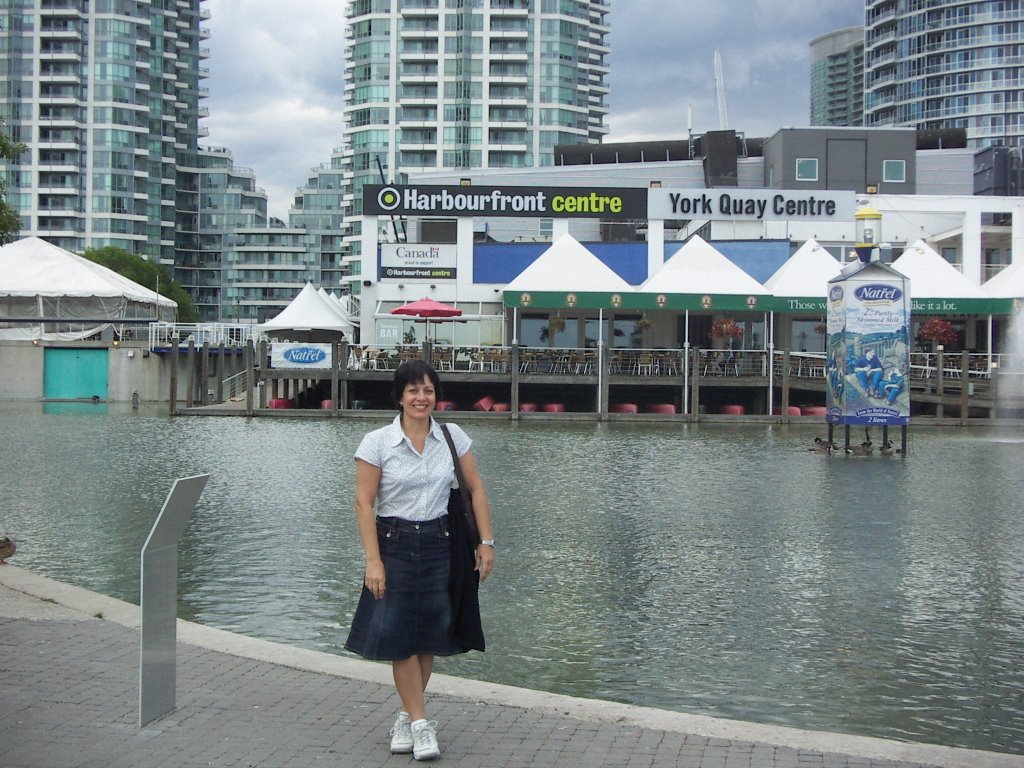 nything on this blog in a long long long time. Many changes going on, the main one being that I will be in Toronto until July 2007 as a visiting professor at UofT during my sabbatical leave. At the moment I am participating in two graduate courses and two seminars, reading lots of material and sharing experiences with a
 n amazingly interesting multicultural, multiracial and multilingual community. So what´s wrong with me? Why do I feel so blue ... ?
For one, I have abandoned Blogs, Wikis, Podcasting and Videos. I just follow some discussions in the Webhead Community where I lurk whenever I can. My most active cyberfriends have progressed tremendously as shown by their contributions to the group and the quality of their sites. I thank them for their continuous generous support and ever kind words of encouragement ... Uhhhh, I have a lot of catching up to do.
Recently I came across a blog by a fellow university professor on sabbatical , mj, who described exactly the uneasiness I have had for the past month, a feeling of not doing enough. "There are good days and bad days, even on sabbatical" she says and her word of wisdom is "sabbaticals aren't that different, at base, from ordinary life ... there are the same number of productive and unproductive days as before". I hope too high expectations don´t make me lose track of my goals and end up spoiling a once in a lifetime opportunity.
23.3.06
"A lot of women are happy to stay home and be housewives"
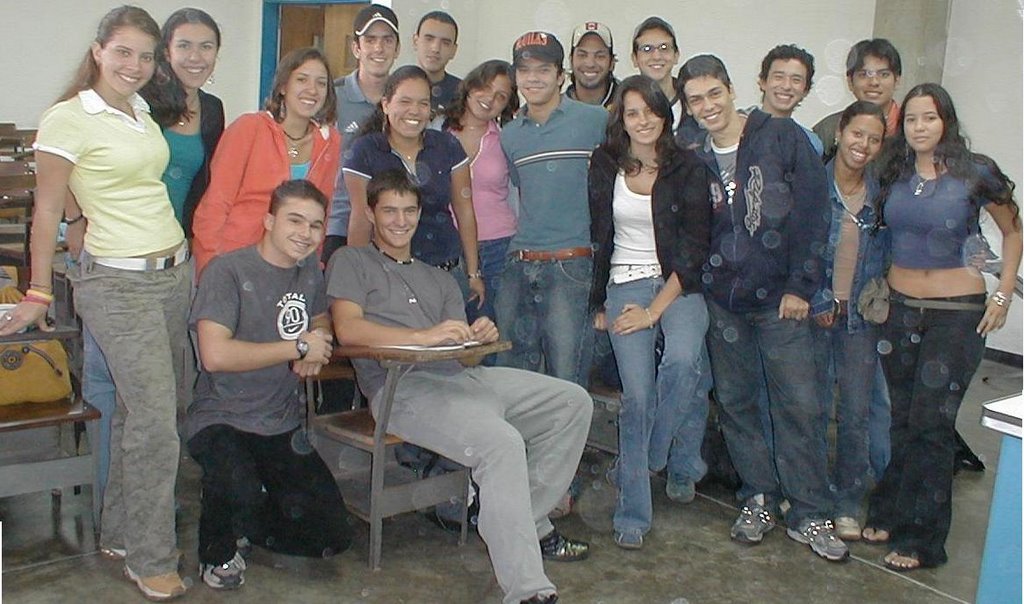 There are women who don't need to work. Most social problems are family-related and women can take care of their children staying home. They can have a job they can do from home which benefits them while having more time to dedicate to themselves. They can avoid job-related stress by staying home. There are women who like to be home and if their husbands work, why not take advantage of that and simply manage their households? In spite of living in a society where women can work and manage themselves outside their homes, there are some who prefer to work at home.
  o don't stay home have the possibility to study and fulfill their objectives. If they stay home they lose direct contact with the social reality they are in. If they liked being home, when women liberation started they would not have gone to work but would have stayed at home. There are women who leave their children and husband because they lack the maternal instinct or the sense of home. There are women who are physically or verbally abused because they don't do what their husbands demand like having dinner on time, among other things; they are treated as servants.
 18.3.06
Women in Venezuela
22.2.06
Weather and clothing in Venezuela
 In spite of having almost the same weather conditions all year round, there are certain peculiarities about the way we dress. Listen to my audiomessage to fin
 d out about it.
When my husband and I were doing our graduate work in Boston, many professors and classmates wore shorts and sandals during the summer and some even took their shoes off in class (in the streets, in parks, on buses). For us it was a complete cultural shock!!!
9.2.06
... sunny almost all year round
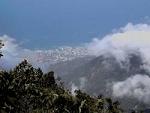 s. But when there are, they are terrible indeed like the mudslides in December 1999 from which we have not totally recovered. It is commonly thought that Venezuela has an overall hot climate because of its relatively closeness to the equator. However, its climate varies considerably and temperature depends on altitude above sea level. The tropical heat at low lands gives way to cooler are as at higher altitudes, and seasonal degree variations at sea level are replaced by year-round constant averages in the higher parts of the mountains. Caracas, at an altitude a little over 3,000 feet, has an average of 22° C (74° F), being comfortably cool throughout the year, warm in July and a little chilly on January mornings. There are only two seasons in the country: the rainy season from mid-May to October (Winter) and the dry season, but showers may fall any moment. See today´s weather. (Photo: View from The Avila to the Caribbean Sea)